On this page: Configure who can chat with your child, understand Trusted Friends, and practise reporting. ~5 min.
Step 1: Set All Chat to Trusted Friends Only
In Parental Controls → Communication, set each of these to Trusted Friends only:
- Experience Chat — messages inside games
- Experience Direct Chat — private messages within a game
- Direct Chat — private messages outside games
Step 2: Understand Trusted Friends
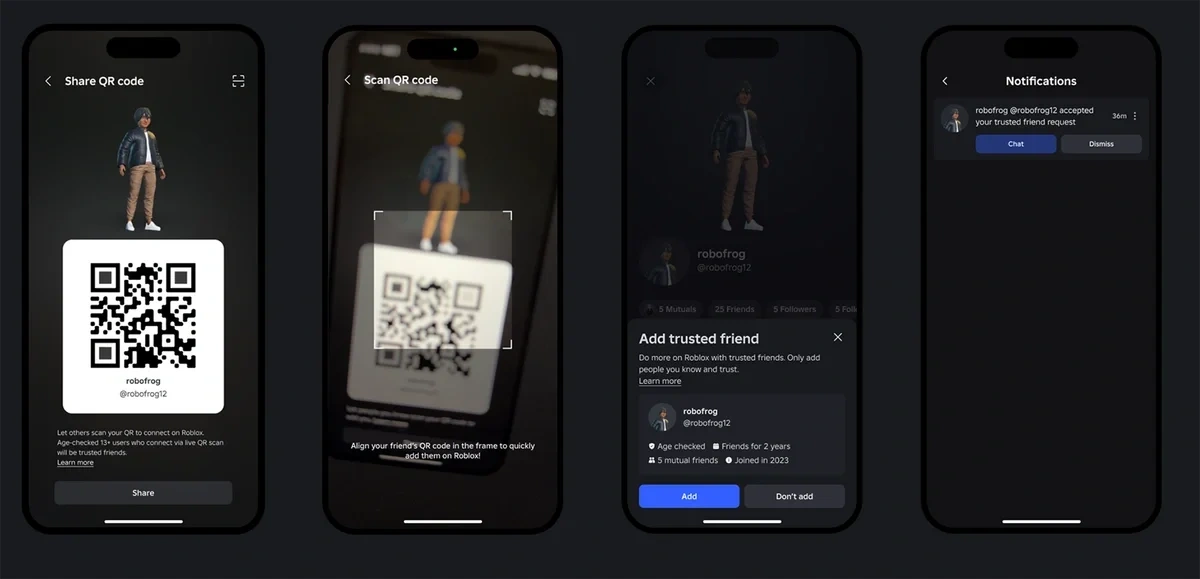
Trusted Friends are people your child has verified through real-life methods:
- QR code scan — scan each other's codes in person
- Invite link — share a trusted friend link
- Contact import — add from phone contacts (ages 13+)
For children under 13, you approve each trusted friend request.
Step 3: Review Your Child's Connections
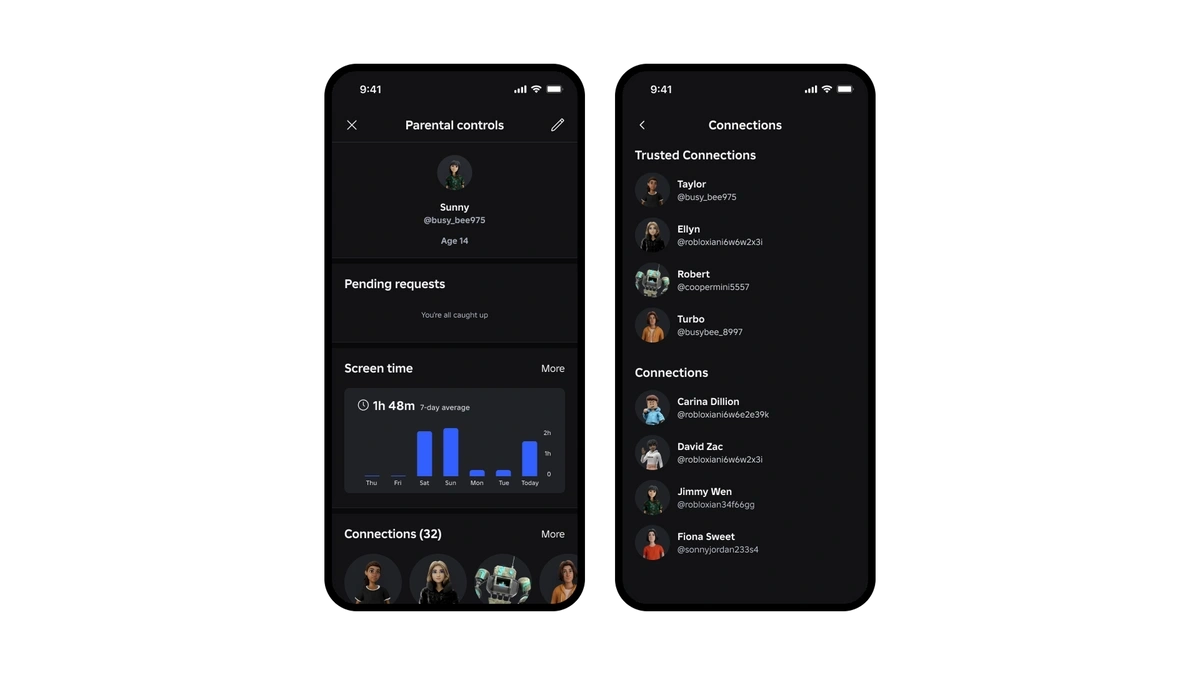
In Parental Controls → Connections: see all friends, when they were added, who's a Trusted Friend, and remove any if needed.
Step 4: Practise Reporting and Blocking
Ask your child to show you how — they probably already know.
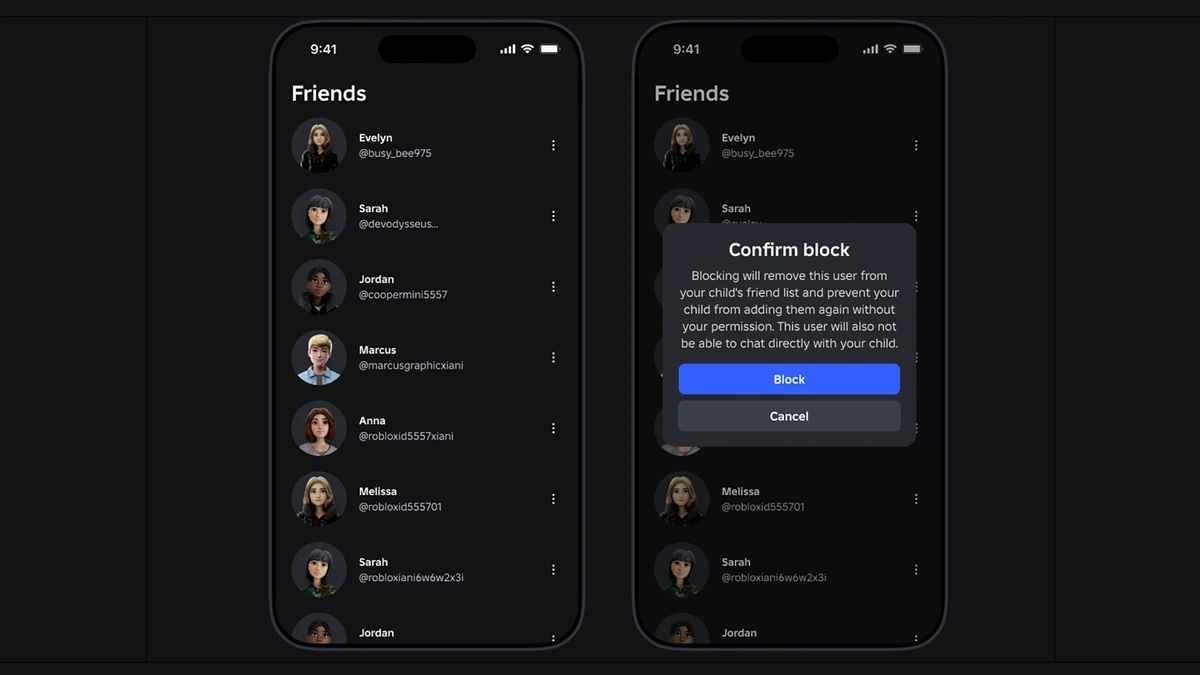
- Block: Click a user's profile → three dots (⋯) → Block User
- Report: Click profile → three dots → Report Abuse → choose reason → submit
How Age-Based Chat Works
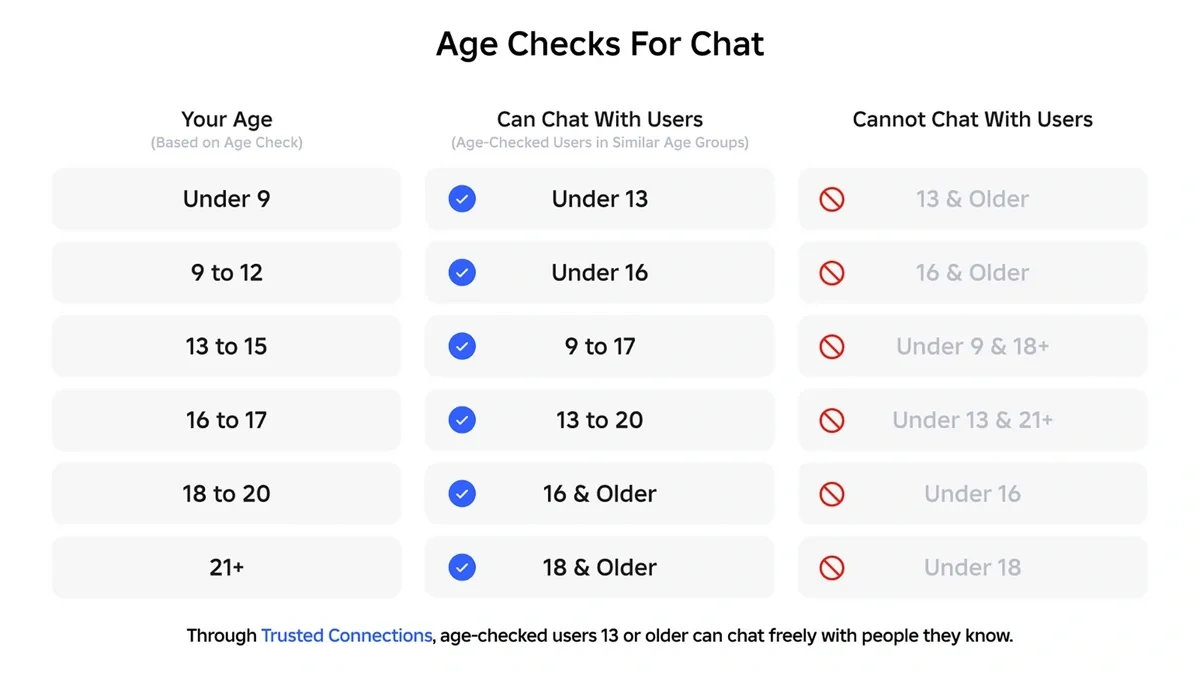
Since January 2026, Roblox requires a facial age check before anyone can chat. It takes seconds and images are deleted immediately. Users are placed into age groups (5-8, 9-12, 13-15, 16-17, 18+) and can only chat with similar ages.
Voice Chat
Not available for under-13. Only 13+ users with a completed age check can access voice chat.
Talk Together
Roblox: Age Checks for Chat (Jan 2026) · Trusted Friends (Apr 2026) · Age-Based Communication (Jul 2025) · Safety & Civility · Verified Apr 2026