What is a Shop Rush?
Shop Rush (also called BeeMart Rush) is a timed event where students get 5 minutes to grab 5 FREE items from the BeeMart shop to use in their games. It runs multiple times during the camp.
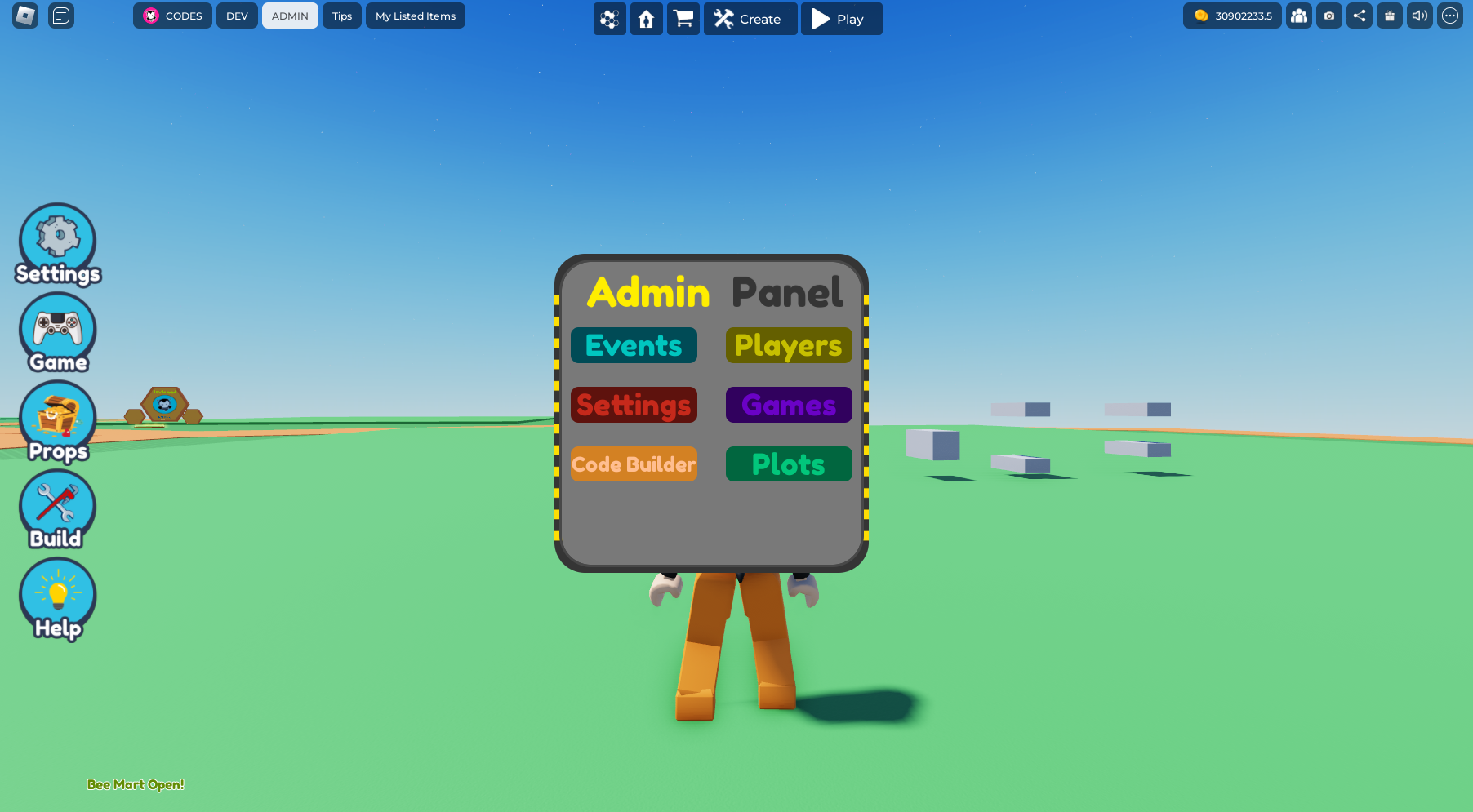
How to Start a Shop Rush Event
- Make sure all students are in their own team servers (not the main hive)
- As the teacher, click the Admin button (top left of screen)
- Click Events
- Click Start on the Shop Rush event
- Students now have 5 minutes to collect their free items
Important: You need to start the Shop Rush event separately in each team's server. Visit each team's server and repeat the steps above.
When Shop Rush Happens in the Curriculum
Shop Rush runs at these points during the 3-day camp:
- Before Mission 3 (Day 1) — first items for world building
- Before Mission 8 (Day 2) — items for story games
- Before Mission 10 (Day 2) — items for obby games
- Before Mission 12 (Day 3) — items for survival games
- Before Mission 14 (Day 3) — items for build challenges
Exploring the BeeMart
Students can also explore the BeeMart at any time:
- Inside the game, find the portal that says "Bee Mart" to teleport
- Browse all available props to plan what they'll grab in the next Shop Rush
- Note: Purchasing and the rush event are automatically disabled in the exploration version of BeeMart
Troubleshooting
- Can't see the Admin button? You need to have submitted your Coaches Quiz AND joined the Buzzy Roblox Community Group
- Students not seeing items? Make sure they're in their team server, not the main hive
- Event not starting? Make sure you're clicking Events in the Admin Panel, not just the Admin button