Complete Build Tools Manual
Click the build icon to access the build tools. Here's every tool available:
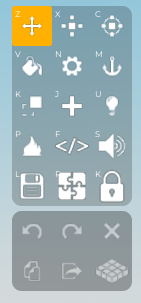
| Tool | What It Does |
|---|---|
| Move | Move a part up, down, forward, back, left, or right |
| Resize | Make a part bigger or smaller in any direction |
| Rotate | Spin a part on any axis (red, green, blue circles) |
| Paint | Change the colour of a part |
| Material | Change the texture/material of a part |
| Anchor | Lock a part in place so it doesn't fall |
| Collision | Toggle whether players can pass through a part |
| Create Part | Spawn a new part (block, wedge, cylinder, etc.) |
| Add Light | Add a light source to a part |
| Sound/Music | Add music or sound effects to a part |
| Lock | Prevent a part from being accidentally selected |
| Group | Group multiple parts into one unit |
| Clone | Duplicate the selected part |
| Delete | Remove the selected part |
| Undo | Undo your last action |
| Redo | Redo your last undone action |
| Multi-select | Select multiple parts (especially useful on tablets) |
| Fire/Smoke/Sparkle | Add visual effects to a part |
| Export Model | Save a model for reuse |
Side Icons (Plot Controls)
| Icon | What It Does |
|---|---|
| Lock Plot | Prevent other players from entering your plot while building |
| Playtest Menu | Access playtesting modes |
| Time of Day | Change the time/lighting on your plot |
| Add Builder | Invite another player to build on your plot |
| Restore Autosave | Recover a previous version of your build |
| Clear All | Remove ALL parts AND props from your plot (use carefully!) |
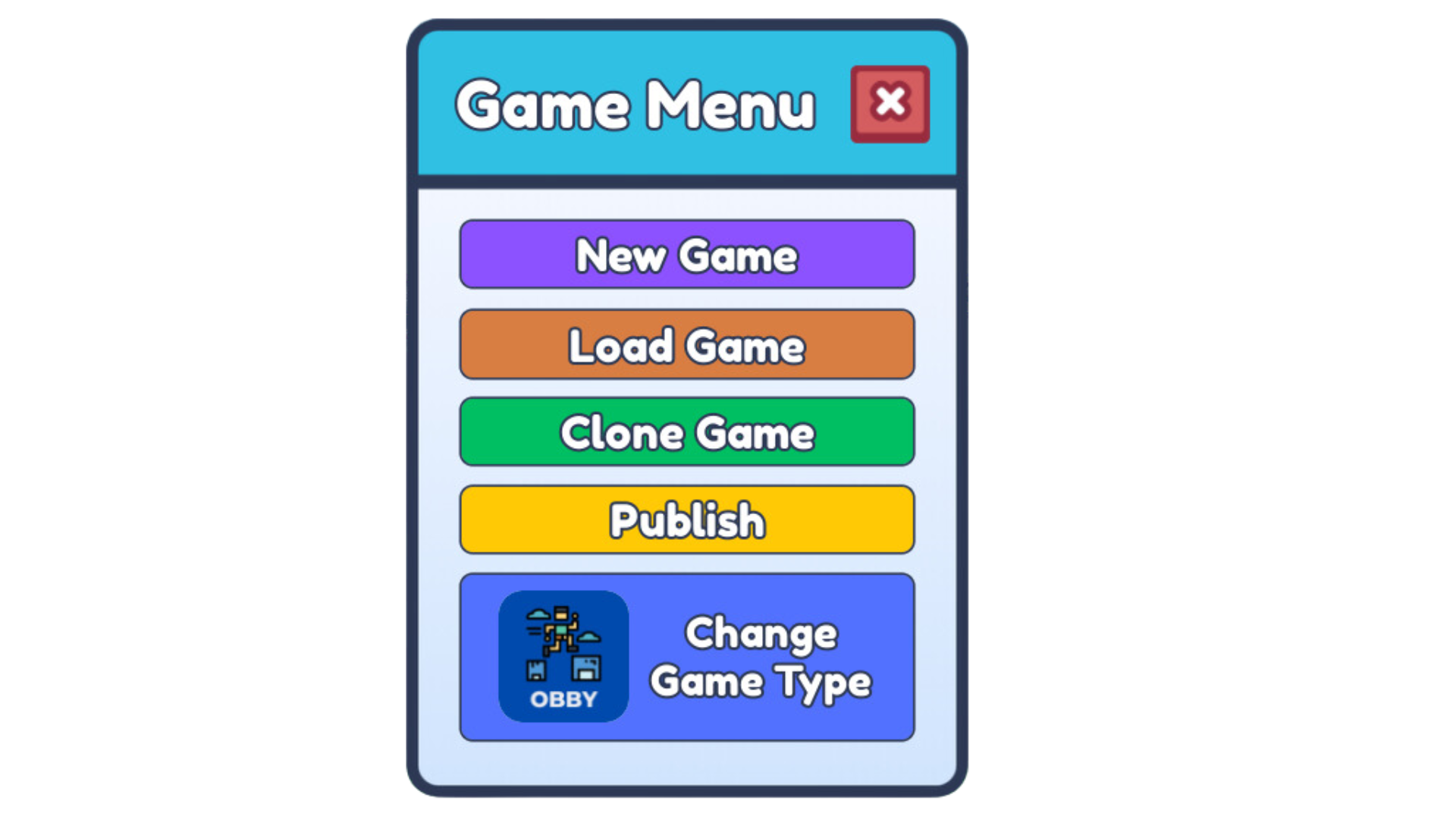
| New Game | Create a new game |
| Load Game | Load a previously saved game |
| Clone Game | Make a copy of a game |
| Publish Game | Publish your game for the class to playtest |
| Game Type | Switch between obby, survival, story, or sandbox |
| Report Issue | Request help from the Buzzy team |
| Help | Access illustrated tutorials for build tools, code builder, and step-by-step guides |
Props Menu
Click the props icon to access:
- Themed props organized by category
- Buffs section for special items (kill bricks, speed boosts, etc.)
- NPCs section for enemy spawners and characters
- Custom tab for your saved models
Story Editor
Click the edit story icon to access the story editor. This icon only appears when your game type is set to "Story".